


Online Banking Security: 7 Tips for Keeping Your Info Safe

Today, the way we manage our finances has fundamentally shifted. According to 2026 data from the American Bankers Association (ABA), 54% of consumers now use mobile banking apps as their primary method of banking, compared to just 22% who prefer a traditional web browser. But due to the open nature of the internet, both mobile and online banking pose significant security risks.
It's natural to worry about these risks, especially if you rely on online banking in your business. However, leveraging modern technology like passkeys, utilizing a password manager, and staying vigilant against AI-powered scams can keep you safe online. In this guide, get the latest online banking security tips and learn how to securely manage your finances in the modern digital landscape.
Here are five things you should know about online banking security:
- Over half of all consumers now bank primarily on mobile apps, shifting how we must approach device security.
- Modern internet banking security risks include AI-generated phishing, voice-cloning deepfakes, and accelerated password cracking.
- You can take various steps to protect your online banking security, including practicing strict mobile app hygiene.
- Using passkeys, adopting long passphrases, and using a password manager will drastically reduce internet banking threats.
- TeamPassword helps you manage your online banking credentials and increase overall business security.
Table of Contents
How Secure Is Online Banking?
Online banking is generally safe. Financial institutions follow strict security protocols to protect your information, such as 256-bit data encryption and zero-trust architectures. However, that doesn't mean your bank account is immune to compromise, as the human element remains the biggest vulnerability.
If you experience fraud, your bank should refund any fraudulent deposits from your account. Furthermore, the FDIC officially insures the money in your account up to $250,000 per depositor in the event of a bank failure. However, you must take proactive steps to keep your money safe from hackers. This means ensuring your online banking credentials are locked down.
Online Banking Risks in the AI Era
Artificial intelligence has completely rewritten the playbook for online banking fraud. Here are some of the most common modern security risks:
- Flawless Phishing: In the past, bad grammar was a red flag for phishing. Today, hackers use Generative AI to write flawless, highly personalized emails or text messages pretending to be your bank or software vendor.
- Voice Cloning and Deepfakes (Social Engineering): Attackers use AI voice cloning to bypass voice-biometric security at banks, or call you pretending to be a bank rep to steal your two-factor authentication codes.
- Accelerated Password Cracking: AI algorithms and modern GPU farms make brute-forcing traditional 12-character passwords faster than ever.
- Malware and Spyware: Malicious software that infects your computer or smartphone, allowing cybercriminals to capture your login information.
For a real-world example of modern phishing, take a look at this fake SendGrid billing email that landed in my inbox:
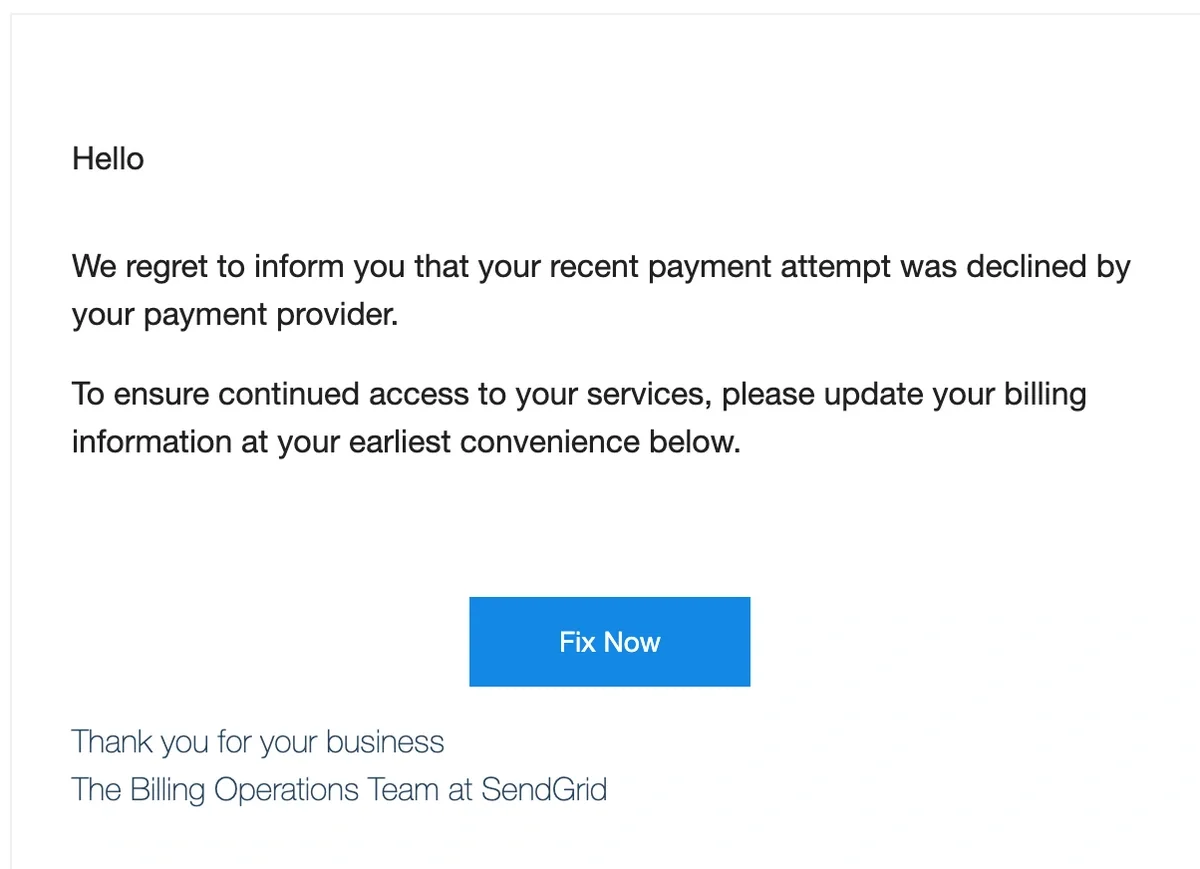
In this case, it's quite easy to tell it's a fake because of the sender address:

Attackers frequently spoof legitimate services your business uses to trick you into handing over credentials. Notice the urgent language ("payment attempt was declined") and the flawless corporate tone, designed to panic you into clicking the malicious "Fix Now" link. If you reuse passwords, falling for a scam like this hands hackers the keys to your bank account.
Online Banking Security: 7 Tips for Securing Your Info
Securing your online banking credentials might sound like a chore, but modern standards have actually made it easier. Follow these seven tips for better banking security:
1. Use Passkeys and Long Passphrases
The financial industry is rapidly moving away from traditional passwords and toward Passkeys (FIDO2/WebAuthn). Passkeys eliminate passwords entirely, allowing you to log into your bank using your device's built-in biometrics (like FaceID or fingerprint). Because there is no password to steal, they are virtually impervious to phishing. Learn more about how passkey technology works here.
If your bank does not yet support passkeys, the current gold standard is using an ultra-long passphrase. According to the NIST SP 800-63B Digital Identity Guidelines, password length is far more important than complexity rules. Instead of "BankSecure1!", a long, memorable passphrase like "MyCatLovesWalkingInTheRain" provides exponentially better protection against AI-assisted cracking.
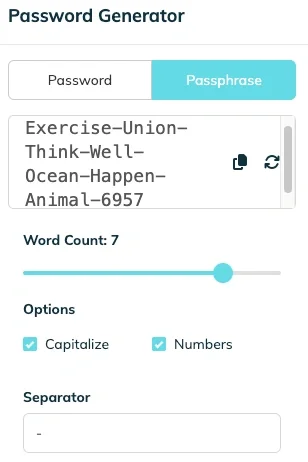
TeamPassword's built-in generator can create secure custom passphrases with various paremeters
2. Change Passwords Only When Necessary
It used to be standard advice to change your password every 90 days. However, NIST strongly advises against arbitrary password rotation. Studies show that forcing users to change passwords frequently leads to predictable behaviors (e.g., changing "Password123" to "Password124"), making them easier to guess. You should only change your banking password if you suspect your account has been compromised or if your bank alerts you to a data breach.
3. Adopt Modern Two-Factor Authentication
Two-factor authentication (2FA) requires you to confirm your identity twice before accessing your account. However, you should avoid SMS-based (text message) 2FA whenever possible. Text messages are easily intercepted through a common attack called SIM-swapping. Instead, opt to receive your codes through a dedicated authenticator app or a physical hardware token.
4. Stay Skeptical of AI-Powered Scams
Because AI can generate perfect spoofed websites and emulate the voices of your loved ones or colleagues, a healthy dose of skepticism is your best defense. Never click a link in an email or text message claiming your account is locked. Instead, manually type your bank's URL into your browser or open their official app. Stay up to date on the latest fraud tactics by bookmarking the FTC's official consumer scam alert page.
5. Use Your Financial Institution's Security Offerings
Banks often provide built-in security features to keep you safe. Enable push notifications for all transactions over a certain dollar amount, and turn on alerts for unrecognized login attempts. You must proactively opt into these features in your account settings to fully utilize your institution's security perimeter.
6. Use a Password Manager
Using a password manager is the safest way to store and protect all your long passphrases and passkeys. It encrypts your credentials in one secure vault so you don't have to remember them.
When setting up your password manager, create a "master password" using a long, unique passphrase that you memorize. Because true password managers operate on a zero-knowledge architecture, they cannot reset this master password for you—which also means hackers cannot breach the company's servers to steal it.
TeamPassword's Password Manager lets you create, manage, and access secure credentials across your computer or mobile devices. Features include activity logging, enforceable 2FA, secure encryption technology, and the ability to share credentials safely with your team.
7. Practice Mobile App Hygiene & Check Accounts Regularly
Since the majority of consumers now bank via mobile apps, mobile device security is critical. Never check your bank account while connected to public Wi-Fi at a coffee shop or airport. Ensure your bank's app and your phone's operating system are always updated to the latest versions. Finally, aim to review your account transactions every 1-2 weeks to catch and flag any unauthorized activity early.
Improve Your Online Banking Security With TeamPassword
While the threat landscape has evolved, you can significantly reduce your risk by embracing modern internet hygiene. Adopting passkeys, utilizing long passphrases, and moving away from outdated advice will keep your finances secure.
TeamPassword can help you reduce online banking fraud. Our platform lets you create, store, and access strong credentials for your accounts in one place, shielding your business from brute-force attacks and credential stuffing.
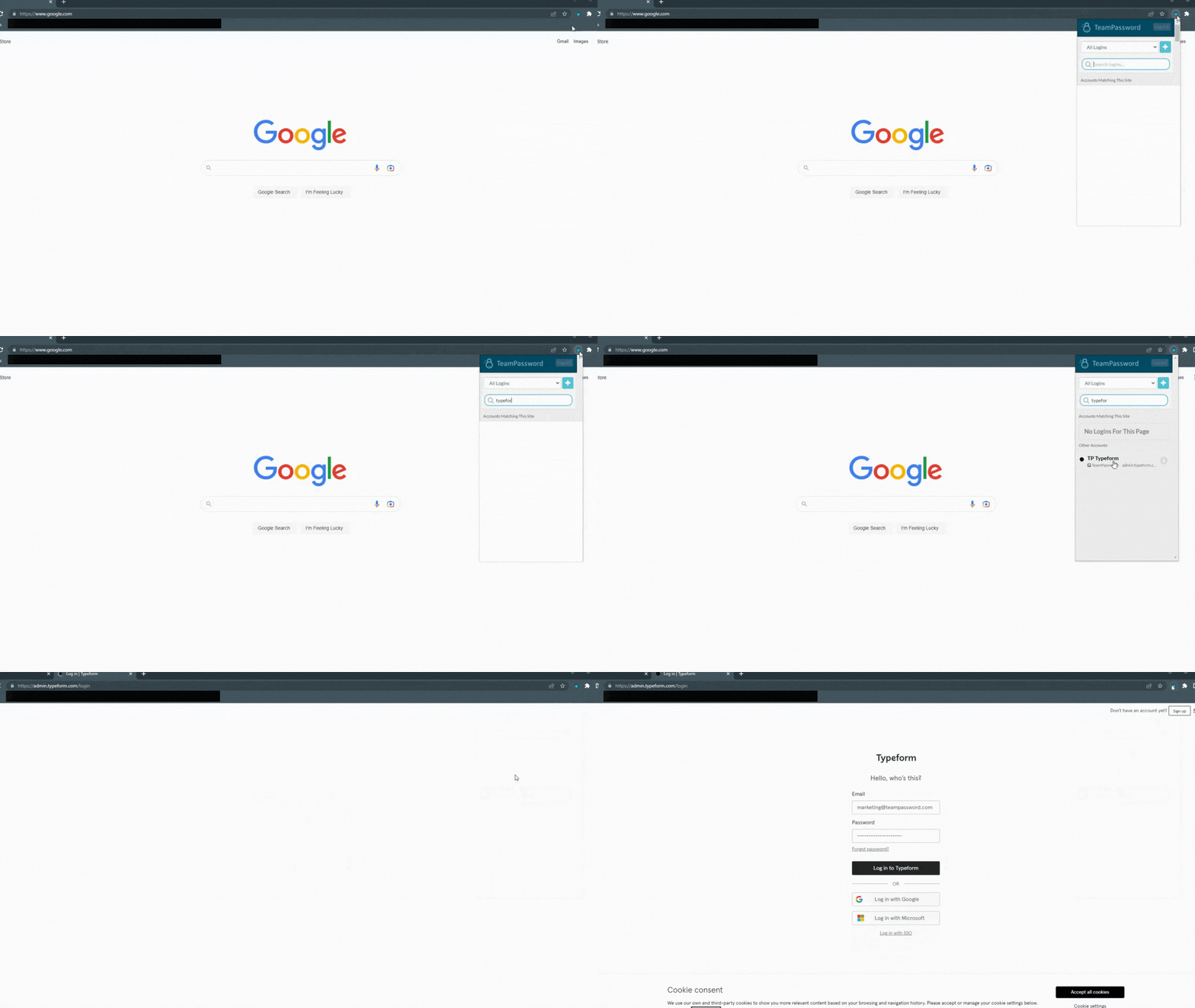
Our browser extensions let you access and autofill credentials without clicking between windows, and our dead-simple UI means you can jump right in without learning another complicated piece of software.
Try TeamPassword for free for 14 days and start protecting your business now!
Online Banking Security FAQs
What Is the Best Way to Protect Online Banking?
The best way to protect your credentials is to follow modern security standards:
- Use passkeys or long passphrases
- Change passwords only when a compromise is suspected
- Use app-based two-factor authentication (avoid SMS)
- Stay skeptical of AI-generated phishing and deepfakes
- Use your financial institution's security offerings
- Use a password manager
- Practice mobile app hygiene and check accounts regularly
What Is an Example of a Good Password for Online Banking?
According to the latest NIST guidelines, password length is more critical than complexity. Instead of relying on a short password with lots of special characters, use a long, memorable passphrase containing at least 15 characters. Examples of passphrases (remember to never include known phrases or personal information) include:
- MyCatLovesWalkingInTheRain!
- BlueCoffeeMugsAlwaysSpill
- TheQuickBrownFoxJumpedHigh99
Posts Recomendados
The Database Behind Every Camera on Your Street
An explanation of the security implications of Flock Safety's interconnected database that's sweeping the nation.
Facebook Hacks: a History of Security Breaches at Facebook and Meta
Facebook has exposed millions of users' personal information over the years. Learn how to protect your company from ...
The Scariest Data Breaches of All Time
Learn what the scariest data breaches of all time are and how can you protect your data from ...
Top 10 cybersecurity threats for nonprofits (and how to prevent them)
Here’s what you need to know about cybersecurity threats for nonprofits, the top risks they face, and practical ...
Fortaleça a segurança das suas senhas
O melhor software para gerar e gerenciar suas senhas corretamente.







